
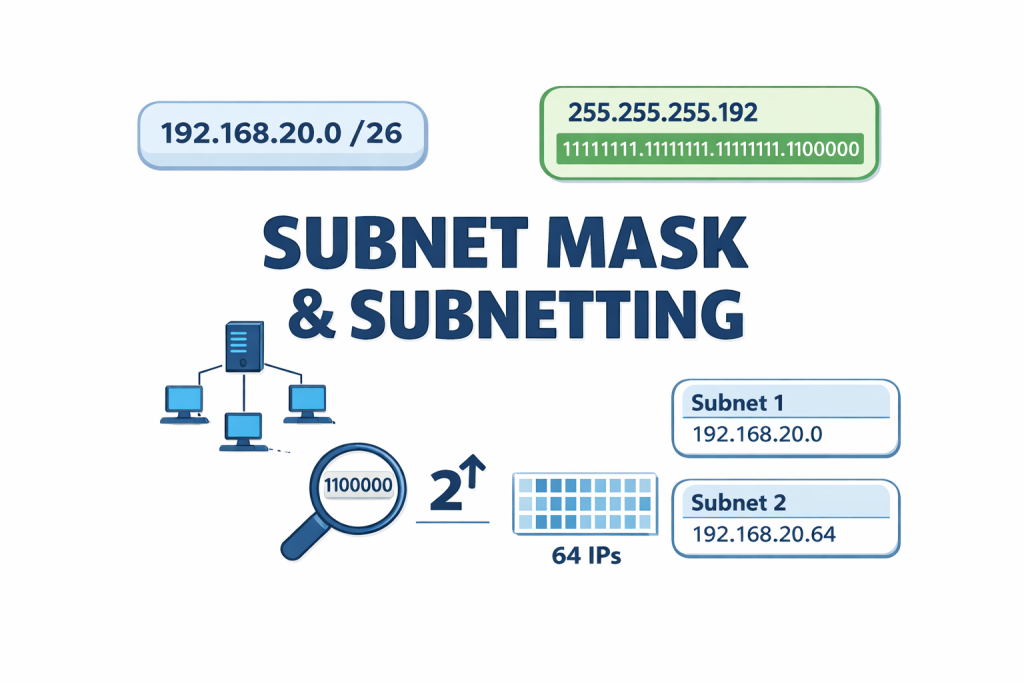
Let’s start with the subnet mask, which is a 32-bit number that plays a key role in how IP addresses work. Think of it as a filter that splits an IP address into two parts: the network ID, which identifies the overall network, and the host ID, which pinpoints the specific device within that network.
When learning about subnet masks, it’s also helpful to understand something called CIDR, short for Classless Inter-Domain Routing. Think of CIDR as a way to show how much of an IP address is used for the network and how much is left for devices (hosts). It was introduced in 1993 by the Internet Engineering Task Force (IETF) to make IP address management more efficient.
To explain further, CIDR tells us how many bits in the IP address are dedicated to the network. It’s usually written after the IP address using a slash notation, for example:
192.168.20.1/24
Here, the “/24” means that the first 24 bits (or the first three octets) represent the network portion, while the remaining bits (in this case, the last octet) identify the host. So, 192.168.20 refers to the network, and .1 is the specific device (host) on that network. CIDR simplified how we look at IP addresses beyond the traditional class-based system, and it’s now the standard in modern networking.
There is a formula to calculate the number of IPs you can get from a network based on the CIDR. Using the example 192.168.20.1/24, the last octet is for the host, meaning the 8 bits are allocated to the host on the network. The formula is therefore:
2^n
Where n = number of bits in the host
E.g. 192 . 168 . 20 . 0
1111 . 1111 . 1111 . 0000
1111 . 1111 . 1111 . 0000
Please note the 1’s and 0’s represent the 32 bits, and the 1’s signify that part belongs to the network, and the remaining 0’s belong to the host, so to calculate the IP, it will be 2 raised to the power of the number of zeros, which in this case is 8.
2^8 = 256 IPs
Note that this is the default number of IPs for all Class C IP addresses because for all Class C IPs, the first 3 octets belong to the network. If you do this calculation for the first two classes, you will see that the default for Class A is 224, resulting in 16,777,216 IPs, and Class B is 216, resulting in 65,536 IPs.
Also note that not all IPs in an IP address are usable because the first IP by default is the network address, and the last by default is the Broadcast. As a result of this, the number of usable IPs is calculated using the formula.
2^n – 2
Where n = number of bits in the host, and the 2 is for the network and broadcast address.
When working with subnets, you won’t typically see them written in binary (1’s and 0’s); instead, they appear as familiar decimal values in 8-bit blocks, ranging from 0 to 255. Common values like 128, 192, 224, and 240 represent how many bits are turned “on” (set to 1) in a subnet mask.
To truly understand a subnet mask, it’s important to know how to convert standard decimal numbers into binary. Why? Because subnetting works at the binary level, where 1s represent bits allocated to the network, and 0s represent bits reserved for hosts.
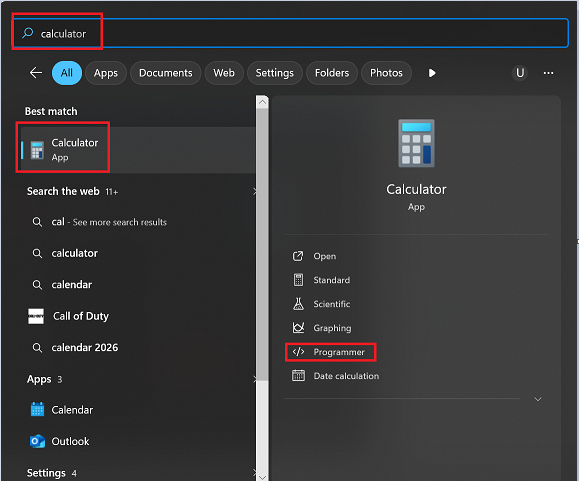
An easy way to do this is by using your computer’s calculator. Simply switch it to Programmer mode, input the decimal number (like 192 or 240), and it will show you the binary equivalent. From there, you can see how many bits are “on” (1s) for the network portion and how many are “off” (0s) for host addresses after putting all the subnet masks together.
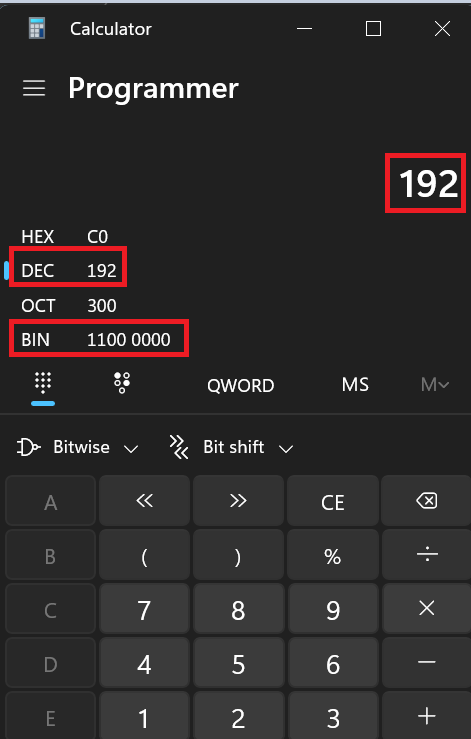
IP – 192. 162. 20. 2/26
Subnet Mask – 255. 255. 255. 192
1111. 1111. 1111. 1100
1111. 1111. 1111. 0000
CIDR – /26
SUBNETTING
Subnetting is basically creating sub-networks. It is the process of dividing a larger network into smaller, more manageable segments called subnets or sub-networks. This helps reduce congestion and makes it easier to manage traffic and resources, which is a smaller group within a large network. It is simply breaking down a large network into smaller networks.
This is done by borrowing bits from the host address and adding them to the
network address.
Example: IP- 192.168.20.0/24
Subnet mask = 255. 255. 255. 0
1111.1111.1111.0000
1111.1111.1111.0000
To divide this network into 4 subnets, you borrow 2 bits from the host and add them to the network, then update the CIDR notation to reflect the new number of bits allocated to the network
After subnetting,
IP – 192.168.20.0/26
Subnet mask = 255. 255. 255. 192
1111. 1111. 1111. 1100
1111. 1111. 1111. 0000
You must know how to calculate the number of subnets. The formula is 2^n
Where N is the number of borrowed bits.
And to know the number of IPs in each of these subnets, you use 2^n (where n is the number of host bits). In this case, it will be
2^6 = 64 IPs per subnet (8 – 2 = 6 host bits left)
while the total number of usable IPs will be 62.
Lastly, if the exact number of subnets isn’t possible, always choose the next higher number to avoid running short.
CONCLUSION
In summary, understanding subnet masks, CIDR notation, and subnetting is essential for effective network design and management. Subnet masks divide an IP address into network and host portions, while CIDR provides a concise way to represent how many bits are dedicated to each. Subnetting allows large networks to be broken into smaller, manageable segments, optimizing IP address usage and improving network performance.